
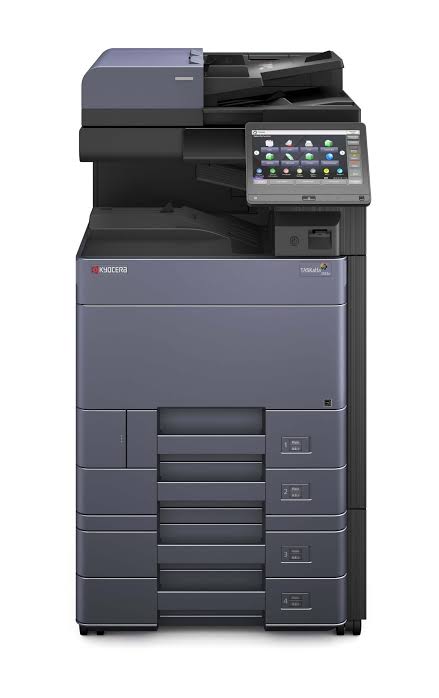
The Kyocera TASKalfa 5053ci is a powerful colour multifunction copier designed for businesses that need reliable document production, professional colour output and A3 printing capabilities. When comparing the Kyocera TASKalfa 5053ci with the Kyocera 356ci and Kyocera TASKalfa 4053ci, buyers should consider printing speed, paper size, document volume and toner compatibility. This comparison explains the differences between the three machines and helps businesses identify the right Kyocera copier for their office requirements.
The Kyocera 356ci is designed around A4 printing and copying, whereas the Kyocera TASKalfa 4053ci and 5053ci offer larger A3 document capabilities. The 4053ci delivers up to 40 pages per minute on A4 paper, while the 5053ci reaches 50 pages per minute.
For businesses in Kenya comparing Kyocera copiers, understanding these differences helps prevent purchasing a machine that is either insufficient for daily operations or unnecessarily large for the work required.
Products mentioned in this article
In stock in Nairobi, with delivery across Kenya.
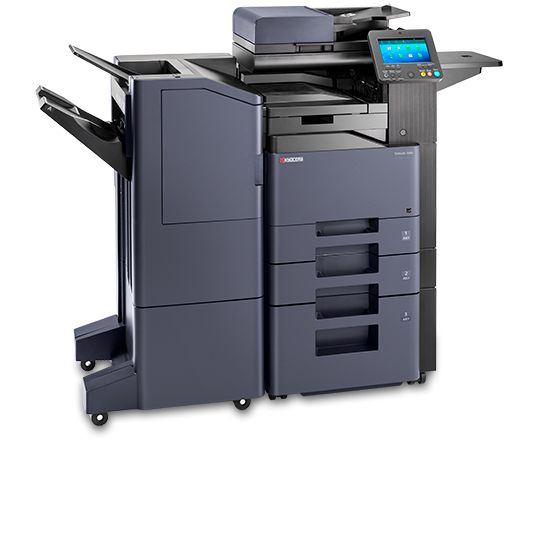
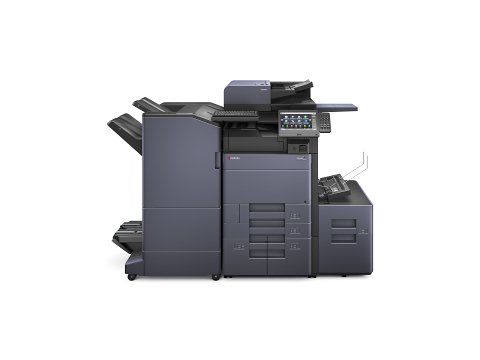
Kyocera
Kyocera TASKalfa 4053ci A3 Colour Laser Multifunction Printer
- A3
- Colour
- Multifunction
- 40 ppm
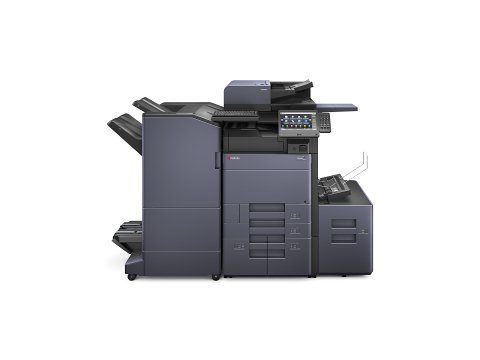
Kyocera
Kyocera TASKalfa 5053ci – Colour Multifunctional Printer for A3 Format
- A3
- Colour
- Multifunction
- 50 ppm
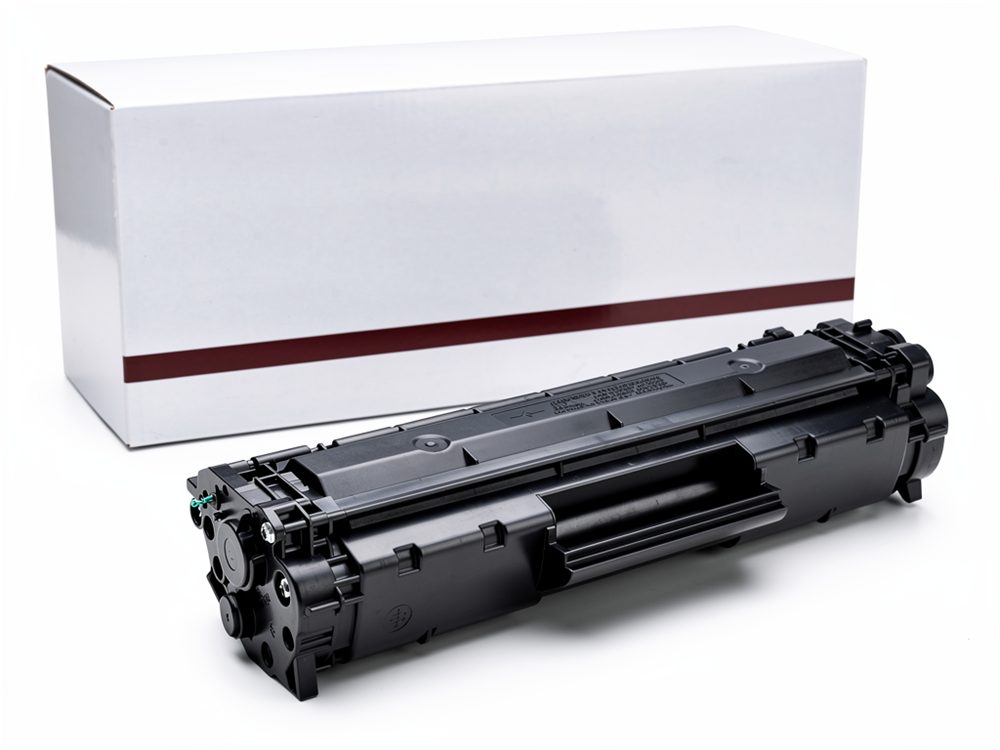
1. Kyocera 356ci vs 4053ci vs 5053ci: Side-by-Side Comparison
The Kyocera 356ci is an A4 colour multifunction printer with a rated A4 printing speed of 35 pages per minute. The TASKalfa 4053ci and 5053ci are A3-capable colour multifunction printers, rated at 40 and 50 A4 pages per minute respectively. The correct choice depends on document size, printing volume and workflow requirements.
| Specification | TASKalfa 356ci | TASKalfa 4053ci | TASKalfa 5053ci |
|---|---|---|---|
| Printer type | Colour multifunction | Colour multifunction | Colour multifunction |
| Printing technology | Laser | Laser | Laser |
| A4 mono printing speed | 35 ppm | 40 ppm | 50 ppm |
| A4 colour printing speed | 35 ppm | 40 ppm | 50 ppm |
| Maximum standard copy size | A4 | A3 | A3 |
| Printing resolution | Up to 1200 x 1200 dpi | Up to 1200 x 1200 dpi | Up to 1200 x 1200 dpi |
| Scanning | Colour and monochrome | Colour and monochrome | Colour and monochrome |
| Duplex printing | Supported | Supported | Supported |
| Fax | Optional | Optional | Optional |
Specifications are based on the applicable Kyocera manufacturer documentation. Optional configurations and regional variations should be checked before ordering.
The most important difference is the combination of paper size and output speed.
The TASKalfa 356ci is suitable for businesses whose daily document requirements revolve around standard A4 office printing. The 4053ci adds A3 capabilities and higher output speed, while the 5053ci provides the highest A4 rated printing speed of the three.
Businesses should also consider finishing options, paper capacity, document processor configuration and network requirements when comparing these machines.
2. Kyocera 356ci: A4 Colour Printing for Everyday Office Work
The Kyocera TASKalfa 356ci is a colour multifunction printer designed for offices that primarily handle standard-sized documents.
Its rated printing speed is 35 pages per minute for both monochrome and colour A4 documents. It combines printing, copying and scanning, with fax functionality available as an option.
What makes the Kyocera 356ci suitable for A4 printing?
The 356ci is appropriate for organisations that regularly produce:
- Business letters and correspondence.
- Office reports and internal documents.
- Invoices and financial statements.
- Meeting documents and presentations.
- Standard administrative paperwork.
- Colour marketing documents within A4 dimensions.
The machine’s maximum standard copy size is A4. Its paper-handling specifications list A4 as the maximum size for the standard cassettes and multipurpose tray.
This is an important consideration for buyers.
Although the 356ci provides professional colour printing, it should not be selected by an organisation that regularly requires native A3 copying and printing.
Who should consider the Kyocera 356ci?
The Kyocera 356ci can be considered by:
- Small and medium-sized offices.
- Administrative departments.
- Professional service firms.
- Businesses handling regular A4 correspondence.
- Organisations needing colour printing and scanning in one machine.
If A4 is sufficient for your operations, the 356ci may provide the necessary functionality without requiring an A3-capable machine.
However, businesses that regularly produce A3 reports, diagrams, plans or larger marketing documents should consider the 4053ci or 5053ci.
3. Kyocera TASKalfa 4053ci and 5053ci: A3 Colour Printing
The Kyocera TASKalfa 4053ci and TASKalfa 5053ci offer greater paper-size flexibility than the 356ci.
Both models support A3 printing and copying, making them relevant to organisations that handle larger documents as part of their regular operations.
What makes the TASKalfa 4053ci different?
The TASKalfa 4053ci has a rated A4 printing speed of 40 pages per minute in both monochrome and colour.
Its A3 capabilities make it suitable for businesses that need to produce documents larger than standard A4 office paperwork.
Potential applications include:
- Large-format business reports.
- A3 presentations and charts.
- Diagrams and technical drawings.
- Larger colour business documents.
- Documents requiring more flexible paper handling.
The 4053ci offers a practical middle option for businesses that require A3 functionality but do not necessarily need the 5053ci’s higher rated A4 printing speed.
What makes the Kyocera TASKalfa 5053ci different?
The Kyocera TASKalfa 5053ci is the fastest model in this comparison based on the manufacturer’s A4 printing specifications.
It delivers:
- 50 pages per minute in monochrome A4 printing.
- 50 pages per minute in colour A4 printing.
- A3 copying capability.
- A3 printing capability.
- Multifunction document handling.
- Colour and monochrome scanning.
The Kyocera TASKalfa 5053ci is worth considering for departments where document output speed and A3 capability are both important.
For example, a busy office handling large volumes of reports, presentations, colour documents and administrative paperwork may benefit from the higher rated output speed.
The machine should still be assessed against the organisation’s actual workload, including monthly print volume, document complexity and finishing requirements.
4. Which Suits Your Printing Volume?
Choosing between the Kyocera 356ci, 4053ci and 5053ci should begin with an assessment of the documents your organisation produces and how frequently it produces them.
A faster printer is not automatically the best purchase. The right machine should match the organisation’s actual workload and paper-size requirements.
When should you choose the Kyocera 356ci?
Consider the 356ci when your organisation primarily prints and copies A4 documents.
It provides a rated speed of 35 A4 pages per minute and supports colour multifunction operations.
It is a sensible option to investigate when A3 printing is not part of your normal workflow.
When should you choose the Kyocera TASKalfa 4053ci?
Consider the 4053ci when your business requires A3 document handling and a rated A4 printing speed of 40 pages per minute.
It provides an intermediate option between the A4-focused 356ci and the faster 5053ci.
When should you choose the Kyocera TASKalfa 5053ci?
Consider the 5053ci when your organisation needs A3 capability alongside a higher rated A4 printing speed.
Its 50-page-per-minute rating makes it the fastest of these three models for A4 monochrome and colour printing.
It is particularly worth evaluating where several departments depend on a shared multifunction printer.
Model selection summary
| Business requirement | Model to consider |
|---|---|
| Primarily A4 office printing | TASKalfa 356ci |
| A3 printing with 40 ppm A4 speed | TASKalfa 4053ci |
| A3 printing with 50 ppm A4 speed | TASKalfa 5053ci |
| Higher rated output among these models | TASKalfa 5053ci |
| No regular requirement for A3 | TASKalfa 356ci |
The final purchasing decision should also account for the machine’s condition if buying a used or refurbished unit, available service support, consumable costs and configuration.
5. What Should You Check Before Buying a Kyocera Copier in Kenya?
Buying a commercial copier involves more than selecting a model based on its specifications.
Businesses should assess the complete cost and operational requirements before committing to a purchase.
Monthly printing requirements
Estimate the number of pages your organisation prints each month.
Separate monochrome and colour printing because the two workloads can have different consumable requirements.
A company producing a few hundred A4 documents monthly may have different needs from a busy department printing thousands of documents.
Paper-size requirements
Confirm whether your organisation needs A4 only or regular A3 printing.
This is particularly important when comparing the 356ci with the 4053ci and 5053ci.
Toner compatibility
Confirm the exact toner kit required for the model and regional machine configuration.
Do not assume that toner cartridges from another TASKalfa model will fit simply because the printers belong to the same product family.
Machine condition
For a used or refurbished Kyocera copier, request information about:
- Total page count.
- Maintenance history.
- Drum and imaging-unit condition.
- Paper-feed performance.
- Print quality.
- Scanner operation.
- Available service support.
Connectivity and configuration
Check whether the proposed configuration supports the organisation’s network, operating systems, scanning destinations and workflow requirements.
Also establish whether optional document processors, finishers or fax components are included.
6. Which Toner Fits the Kyocera TASKalfa 5053ci?
The Kyocera TASKalfa 5053ci uses a model-specific toner kit, and buyers should confirm the regional consumable designation before ordering replacements.
Kyocera’s manufacturer documentation for the Asian and Korean market identifies the TK-8519 toner family for the TASKalfa 5053ci:
- TK-8519K – Black toner.
- TK-8519C – Cyan toner.
- TK-8519M – Magenta toner.
- TK-8519Y – Yellow toner.
The manufacturer’s stated average yields are approximately 30,000 pages for black and 20,000 pages for each colour cartridge, measured at 5% A4 coverage.
Other regional documentation identifies TK-8515 toner designations for the same printer family. This makes checking the actual machine’s regional configuration particularly important.
Before purchasing, confirm the complete model number, market version and cartridge part number against the machine’s documentation or with an authorised Kyocera supplier.
Toner yields are estimates under standard test conditions. Actual results vary depending on coverage, document type and printing conditions.
7. Why Choose the Right Kyocera TASKalfa Model?
The best Kyocera copier is the one that meets your business’s document requirements without creating unnecessary operating costs.
The 356ci, 4053ci and 5053ci have different strengths.
The 356ci provides A4 colour multifunction printing at 35 pages per minute. The 4053ci offers A3 capabilities at 40 pages per minute, while the 5053ci combines A3 functionality with a 50-page-per-minute A4 printing rating.
Comparing these capabilities before buying can help your organisation make a more informed equipment decision.
Businesses should also consider long-term toner requirements, maintenance, paper handling and technical support when evaluating their options.
For assistance comparing available Kyocera equipment, contact Ahmed Business to discuss your printing requirements and confirm the models currently available.
Call to Action: Looking for a Kyocera TASKalfa copier for your office? Contact Ahmed Business to discuss the right model for your document requirements. Confirm current availability, pricing and configuration directly with the client before publishing this offer.
Frequently Asked Questions
1. Can the Kyocera 356ci print A3?
No. The TASKalfa 356ci has a maximum standard copy and paper-handling size of A4 (Legal). Businesses requiring A3 printing and copying should consider an A3-capable model such as the TASKalfa 4053ci or 5053ci.
2. What is the difference between the Kyocera 4053ci and 5053ci?
The main difference in their rated A4 printing speeds is that the 4053ci prints at 40 pages per minute, while the 5053ci prints at 50 pages per minute. Both support A3 document handling. The 5053ci is the faster option of the two.
3. Which toner fits the Kyocera TASKalfa 5053ci?
Kyocera documentation identifies the TK-8519 toner family for the TASKalfa 5053ci in certain markets, including the Asian market. TK-8515 designations also appear in regional documentation. Confirm the exact regional version and cartridge part number before purchasing.
4. Is the Kyocera 356ci suitable for a small office?
It can be suitable for a small office that needs colour printing, copying and scanning and primarily works with A4 documents. The final choice should depend on actual monthly print volume and operating requirements.
5. Is the Kyocera TASKalfa 5053ci faster than the 4053ci?
Yes. The 5053ci has a rated A4 monochrome and colour printing speed of 50 pages per minute, compared with 40 pages per minute for the 4053ci.
6. Do the Kyocera 4053ci and 5053ci support colour printing?
Yes. Both are colour multifunction printers supporting monochrome and colour printing, copying and scanning.
7. What should I check when buying a refurbished Kyocera TASKalfa copier?
Check the total page count, maintenance history, print quality, paper-feed operation, scanner performance, consumable compatibility and availability of technical support. Request a demonstration before purchasing where possible.
Understanding the Kyocera TASKalfa 5053ci
The Kyocera TASKalfa 5053ci is an important option for businesses comparing professional colour multifunction printers. The Kyocera TASKalfa 5053ci combines A3 document handling with a rated A4 printing speed of 50 pages per minute. Businesses considering the Kyocera TASKalfa 5053ci should evaluate their monthly printing volume and the types of documents they produce.
The Kyocera TASKalfa 5053ci is particularly relevant to organisations that share printing equipment across multiple departments. Before purchasing a Kyocera TASKalfa 5053ci, confirm its configuration, condition and service history.
Comparing the Kyocera TASKalfa 5053ci with the 356ci
The Kyocera TASKalfa 5053ci differs from the 356ci in its A3 paper-handling capabilities and rated output speed. While the 356ci is designed around A4 documents, the Kyocera TASKalfa 5053ci supports larger document requirements.
For companies that regularly produce A3 reports, the Kyocera TASKalfa 5053ci offers greater paper-size flexibility. However, organisations that primarily print A4 documents should compare their actual requirements before selecting the Kyocera TASKalfa 5053ci.
Comparing the Kyocera TASKalfa 5053ci with the 4053ci
The Kyocera TASKalfa 5053ci has a rated A4 printing speed of 50 pages per minute, compared with 40 pages per minute for the 4053ci. Both machines support A3 printing and copying.
A business choosing the Kyocera TASKalfa 5053ci should consider whether the additional rated speed will improve its document workflow. The Kyocera TASKalfa 5053ci may be worth considering for departments with heavier printing requirements.
Kyocera TASKalfa 5053ci Toner Requirements
Toner compatibility is another important purchasing consideration. The Kyocera TASKalfa 5053ci requires the correct regional toner designation and cartridge configuration.
Before purchasing toner for a Kyocera TASKalfa 5053ci, check the machine’s model documentation and cartridge part numbers. A supplier should verify compatibility rather than assume that every TASKalfa toner cartridge fits the Kyocera TASKalfa 5053ci.
Is the Kyocera TASKalfa 5053ci Right for Your Business?
The Kyocera TASKalfa 5053ci may suit organisations that need A3 colour printing, copying and scanning alongside a higher rated A4 output speed.
When evaluating the Kyocera TASKalfa 5053ci, consider the purchase cost, toner requirements, maintenance arrangements and availability of technical support.
The Kyocera TASKalfa 5053ci should ultimately be selected according to your actual document workload rather than printing speed alone.
Final Buying Advice
If your organisation requires a professional A3 colour copier, compare the Kyocera TASKalfa 5053ci with other available TASKalfa models. Confirm the exact configuration and consumables before making a purchasing decision.
Ahmed Business can assist buyers in discussing their Kyocera copier requirements, subject to confirmation of current product availability.
Questions and answers
What makes the Kyocera 356ci suitable for A4 printing?
The 356ci is appropriate for organisations that regularly produce: Business letters and correspondence. Office reports and internal documents. Invoices and financial statements. Meeting documents and presentations. Standard administrative paperwork. Colour marketing documents within A4 dimensions. The machine's maximum standard copy size is A4. Its paper-handling specifications list A4 as the maximum size for the…
Who should consider the Kyocera 356ci?
The Kyocera 356ci can be considered by: Small and medium-sized offices. Administrative departments. Professional service firms. Businesses handling regular A4 correspondence. Organisations needing colour printing and scanning in one machine. If A4 is sufficient for your operations, the 356ci may provide the necessary functionality without requiring an A3-capable machine. However, businesses that regularly produce…
What makes the TASKalfa 4053ci different?
The TASKalfa 4053ci has a rated A4 printing speed of 40 pages per minute in both monochrome and colour. Its A3 capabilities make it suitable for businesses that need to produce documents larger than standard A4 office paperwork. Potential applications include: Large-format business reports. A3 presentations and charts. Diagrams and technical drawings. Larger colour business documents. Documents requiring more…
What makes the Kyocera TASKalfa 5053ci different?
The Kyocera TASKalfa 5053ci is the fastest model in this comparison based on the manufacturer's A4 printing specifications. It delivers: 50 pages per minute in monochrome A4 printing. 50 pages per minute in colour A4 printing. A3 copying capability. A3 printing capability. Multifunction document handling. Colour and monochrome scanning. The Kyocera TASKalfa 5053ci is worth considering for departments where…
4. Which Suits Your Printing Volume?
Choosing between the Kyocera 356ci, 4053ci and 5053ci should begin with an assessment of the documents your organisation produces and how frequently it produces them. A faster printer is not automatically the best purchase. The right machine should match the organisation's actual workload and paper-size requirements.
When should you choose the Kyocera 356ci?
Consider the 356ci when your organisation primarily prints and copies A4 documents. It provides a rated speed of 35 A4 pages per minute and supports colour multifunction operations. It is a sensible option to investigate when A3 printing is not part of your normal workflow.
When should you choose the Kyocera TASKalfa 4053ci?
Consider the 4053ci when your business requires A3 document handling and a rated A4 printing speed of 40 pages per minute. It provides an intermediate option between the A4-focused 356ci and the faster 5053ci.
When should you choose the Kyocera TASKalfa 5053ci?
Consider the 5053ci when your organisation needs A3 capability alongside a higher rated A4 printing speed. Its 50-page-per-minute rating makes it the fastest of these three models for A4 monochrome and colour printing. It is particularly worth evaluating where several departments depend on a shared multifunction printer.
- #kyocera 356ci
- #Kyocera A3 copier
- #Kyocera colour copier
- #Kyocera multifunction printer
- #kyocera taskalfa 4053ci